
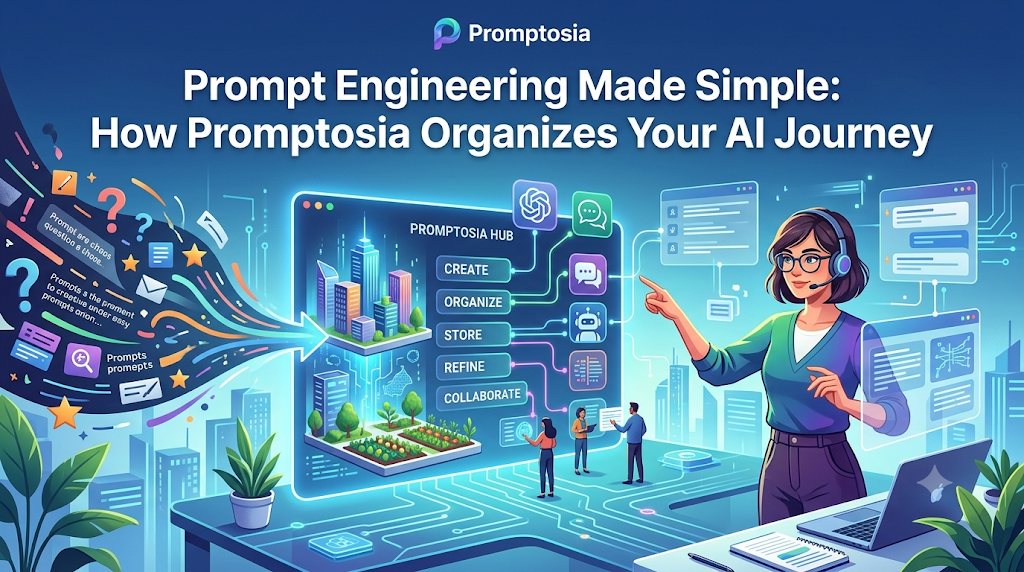
Introduction: Understanding Promptosia and AI Prompt Management
If you have used AI tools like ChatGPT, Claude, or Midjourney, you already know how powerful they can be. But you also know the frustration of typing a long, detailed instruction, getting an amazing response, and then losing that exact phrasing a week later.
Many professionals, creators, and teams spend hours fine-tuning AI instructions, only to let them sit buried in old chat histories or scattered across random desktop notes.
Promptosia is a modern AI prompt management tool designed to help individuals, creators, and businesses save, organize, improve, and share their best AI instructions. Instead of treating prompts as temporary throwaway text, the platform treats them as valuable digital assets.
What Is an AI Prompt Management Tool?
An AI prompt is simply the text or instruction you give to an Artificial Intelligence model to perform a task. It can be as short as “Summarize this article” or as complex as a 500-word system instruction detailing tone, target audience, format, and edge cases.
As people use AI more frequently in their daily work, they quickly realize that the quality of the AI’s output depends directly on the quality of the prompt. This leads to people creating dozens—sometimes hundreds—of custom instructions for different tasks.
Without a system, managing these instructions becomes chaotic. An AI prompt management tool is a specialized software designed to bring order to this chaos. It allows you to store, search, refine, and organize your instructions in a centralized dashboard. Instead of trying to remember how you worded a prompt three weeks ago, a prompt management tool lets you access, edit, and run your best instructions instantly.
Why Building an AI Prompt Library Is Important
Imagine writing a great proposal template, deleting the document, and trying to rewrite it from memory every time you pitch a new client. That would be a huge waste of time. Yet, this is exactly how most people interact with AI every day.
When you do not save your prompts, you face several drawbacks:
- Wasted time: Re-typing and re-explaining instructions to AI repeatedly.
- Inconsistent outputs: Getting a great response today and a mediocre one tomorrow because the wording shifted.
- Lost insights: Forgetting the specific variables or context that made a prompt work so well in the first place.
Building a structured AI prompt library solves these issues. Storing your proven instructions in an accessible repository gives you quick access to high-performing prompts whenever you need them. It turns trial-and-error AI interactions into a predictable, repeatable workflow, boosting overall productivity.
How Promptosia Works as a Prompt Engineering Platform
The practice of designing, tweaking, and structuring inputs to get the best possible response from AI is known as prompt engineering. While this sounds like a complex task reserved for software engineers, it is actually a skill every regular AI user practices daily.
Promptosia operates as a full-fledged prompt engineering platform that makes this process easy for everyone. Rather than forcing you to guess why a prompt is underperforming, the platform provides tools to guide your instructions from basic concepts to polished, high-performing prompts. It provides a complete workflow:
- Drafting: Write down your initial idea or instruction.
- Refining: Tweak structure, tone, and variables.
- Evaluating: Check for clarity and effectiveness.
- Deploying & Reusing: Save the final version to your collection for future use.
By guiding you through this cycle, Promptosia helps you build better AI habits and dramatically improves the quality of your AI outputs.
Organizing Prompts With AI Prompt Organizer
When your collection grows from five prompts to fifty, finding the right instruction can quickly become overwhelming. A messy list of prompts is barely any better than a messy document of notes.
Using a dedicated AI prompt organizer, Promptosia lets you structure your collection logically:
- Categories & Folders: Group your prompts by function—such as Writing, Coding, Research, Marketing, or Personal Productivity.
- Tags: Add searchable keywords (e.g.,
#email,#python,#copywriting) to find specific instructions in seconds. - Variables: Mark dynamic fields inside your prompts (like
{topic}or{target_audience}) so you can fill in new details quickly without altering the core structure.
With an organized layout, you spend less time searching for past prompts and more time executing your work.
Improving Instructions With AI Prompt Optimizer
A common reason AI yields poor responses is vague instructions. Prompts like “Write a blog post about real estate” leave too much room for the AI to guess, often resulting in generic text.
An AI prompt optimizer helps transform weak, simple prompts into clear, detailed instructions. It reviews your intent and suggests structural additions—such as specifying a persona, establishing context, defining constraints, and choosing an output format.
For instance, an optimizer can help turn “Write a sales email” into:
“Act as an experienced B2B sales strategist. Write a 150-word cold outreach email targeting HR directors. Use a professional yet conversational tone, highlight the pain point of employee turnover, and end with a clear, low-friction call to action.”
By optimizing your inputs, you eliminate ambiguity and receive more precise, useful AI outputs on the first try.
Understanding Prompts With AI Prompt Analyzer
Before sending an instruction to an AI model, it is helpful to understand how well that instruction is structured.
An AI prompt analyzer inspects your written prompt and breaks down its core components. It checks whether your instruction clearly outlines key elements such as:
- Role or Persona: Who should the AI pretend to be?
- Task Goal: What primary action should the AI perform?
- Context & Background: Does the AI have enough supporting information?
- Variables: Are input parameters formatted clearly?
- Format & Tone: Did you specify how the final result should look and sound?
By analyzing these details, the tool gives you insight into potential gaps in your instruction, showing you exactly where to add clarity before running the prompt.
Checking Prompt Quality Before Use
Using a trial-and-error approach with AI can be frustrating and time-consuming. Running a long prompt only to get an unfocused response means going back to edit, re-run, and wait again.
A prompt quality checker solves this by evaluating your instruction’s readiness beforehand. It scores your prompt on critical dimensions:
- Clarity: Is the request straightforward and easy to understand?
- Specificity: Are the guidelines clear enough to prevent generic answers?
- Safety & Alignment: Does the instruction avoid confusing or contradictory statements?
- Usability: Can another team member easily fill in the variables and get the same output?
Checking prompt quality prior to execution ensures that your instructions are structured to produce dependable results every single time.
Managing Prompt Improvements With Version Control
Prompts are rarely perfect on the first draft. As you use an instruction over time, you will likely make small edits—adding a constraint here, refining the tone there, or adjusting a variable. However, sometimes a new edit makes the output worse, leaving you wishing you could revert to yesterday’s version.
A prompt version control tool keeps a clean, organized history of every change you make to a prompt.
Just like software engineers track changes in code, version control for prompts lets you:
- Track how an instruction evolved over time.
- Compare current versions against previous drafts.
- Restore an older, higher-performing version with a single click.
This history protects your work and allows you to experiment freely without the fear of losing a prompt that already worked well.
Testing Different Prompt Results
When aiming for a specific outcome, subtle changes in phrasing can yield very different responses from an AI. Changing “Write a summary” to “Extract 5 actionable takeaways” completely alters the structure and value of the output.
An AI prompt testing tool lets you test and compare different variations of an instruction side by side.
By running multiple prompt iterations against the same input data, you can quickly evaluate:
- Which phrasing produces the most accurate output.
- Which format is easiest to read and use immediately.
- Which version consistently follows all provided constraints.
Testing your prompts systematically removes guesswork, enabling you to build a library made entirely of proven, high-converting instructions.
Reusing Successful Prompts With Templates
Once you have crafted, optimized, tested, and approved an instruction, you should never have to build it from scratch again.
Using reusable AI prompt templates allows you to turn successful instructions into standardized tools for your daily routine. Instead of retyping long explanations, you open a template, fill in specific variables (such as client name, industry, or article topic), and run it instantly.
Templates are especially valuable for standard business processes, such as:
- Weekly project status reports
- Customer support responses
- Social media post generation
- Code refactoring requests
- Content outlines
Standardizing your proven inputs into templates saves significant time while keeping your daily output consistent.
Promptosia Features Comparison Table
Here is a quick overview of how Promptosia’s core features work together to streamline your AI workflow:
| Feature | What It Does | Benefit |
|---|---|---|
| AI Prompt Library | Stores useful prompts in one central place | Easy access and instant reuse |
| Prompt Organizer | Categorizes prompts using tags, folders, and variables | Eliminates cluttered notes and lost files |
| Prompt Optimizer | Refines simple instructions into detailed prompts | Generates higher quality AI responses |
| Prompt Analyzer | Reviews prompt structure, tone, and goals | Highlights missing context and gaps |
| Quality Checker | Evaluates overall prompt readiness before execution | Prevents wasted runs and vague outputs |
| Version Control | Saves full change history for every prompt | Restores successful older versions easily |
| Prompt Testing | Compares outputs from different prompt variations | Identifies the most effective phrasing |
| Templates | Converts top prompts into fill-in-the-blank forms | Speeds up repetitive daily workflows |
Who Can Use Promptosia?
Promptosia is designed to support anyone who uses AI regularly, regardless of technical background or industry.
Content Creators
Writers, bloggers, video creators, and social media managers can save their best brainstorming prompts, content outlines, caption formulas, and editing instructions. This ensures a consistent brand voice across all published content.
Developers
Software engineers and web developers can manage prompts for code generation, bug fixing, documentation writing, and code refactoring. Having a library of technical prompts speeds up daily development tasks.
Marketers
Digital marketers and SEO specialists can organize prompts for ad copy generation, email campaigns, audience persona building, and keyword analysis, keeping campaign messaging aligned and repeatable.
Businesses and Teams
Companies can build shared organizational prompt libraries. This allows team members to use the same proven AI instructions, ensuring operational consistency and helping onboard new employees faster.
Students and Researchers
Students and academics can keep organized templates for literature summaries, research outline creation, complex topic explanations, and proofreading support.
Benefits of Using Promptosia
Adopting an organized prompt management system delivers distinct advantages:
- Saves Time: Eliminate minutes spent searching through old chat logs or retyping instructions.
- Keeps Prompts Organized: Store every instruction neatly categorized with tags and dynamic variables.
- Improves AI Output Quality: Use optimization and quality tools to get clear, precise answers.
- Helps Teamwork: Share successful prompt collections seamlessly across your team.
- Makes Successful Prompts Reusable: Turn one-off instructions into durable workflow templates.
- Reduces Repeated Work: Stop solving the same prompt formulation challenges repeatedly.
- Creates Better AI Workflows: Build a reliable, structured system for interacting with AI models.
Common Problems Without Prompt Management
Without a dedicated management system, most users encounter predictable obstacles when working with AI:
- Losing Valuable Prompts: A great prompt used weeks ago gets buried in hundreds of scrollable chat histories and lost forever.
- Creating the Same Instructions Repeatedly: Spending 10 minutes rewriting a prompt for a task you already solved last week.
- Not Tracking Improvements: Making edits to a prompt without remembering which specific change actually improved the output.
- Getting Inconsistent AI Results: Receiving vastly different outputs every day because the inputs are typed from memory rather than a standardized template.
- Difficulty Sharing Prompts With Teams: Copy-pasting raw prompt text across messy chat channels, emails, or scattered documents.
Implementing an organized prompt management system resolves these pain points. By centralizing your prompt creation, testing, and storage, you eliminate friction and ensure your AI tools deliver reliable value every day.
Frequently Asked Questions (FAQs)
What is an AI prompt management tool?
An AI prompt management tool is software designed to help users store, organize, edit, test, and reuse instructions given to artificial intelligence models. It centralizes your prompts in a structured library rather than leaving them scattered across chat histories or notes.
Why do users need an AI prompt library?
An AI prompt library allows users to keep their proven, high-performing prompts in one easy-to-access place. It saves time, prevents loss of useful instructions, ensures consistent outputs, and eliminates the need to retype prompts from scratch.
How does Promptosia help organize prompts?
Promptosia helps organize prompts by providing customizable folders, categories, searchable tags, and dynamic variables. This structure allows you to find, edit, and deploy the right prompt in seconds.
What is a prompt engineering platform?
A prompt engineering platform is a complete set of tools designed to help users create, refine, analyze, test, and manage AI instructions. It guides prompts through their full lifecycle—from initial draft to polished, reusable template.
How does an AI prompt optimizer improve prompts?
An AI prompt optimizer analyzes simple instructions and suggests key structural elements—such as role definitions, context, constraints, and output formats—making the prompt clearer and more effective for AI models.
What does an AI prompt analyzer check?
An AI prompt analyzer evaluates your instruction’s clarity, structure, role specification, context completeness, and variable formatting. It highlights missing information so you can improve the prompt before running it.
Why is prompt version control important?
Prompt version control tracks the full history of edits made to an instruction. It allows you to see what changes were made over time, compare output results, and revert to a previous successful version if a new edit underperforms.
How do reusable AI prompt templates save time?
Reusable prompt templates allow you to save fixed prompt structures with dynamic variable fields (like topic, target audience, or tone). You simply fill in the blanks for new tasks instead of drafting a full prompt from scratch.
Final Thoughts: Building Better AI Workflows With Organized Prompts
As AI becomes an integral part of daily work, the ability to communicate effectively with these tools is a crucial skill. However, relying on memory or disorganized notes to manage your instructions quickly creates bottlenecks.
High-quality prompts lead directly to high-quality AI outputs. Treating your best prompts as valuable assets—by organizing, refining, and storing them systematically—saves hours of repetitive work and ensures dependable results every day.
By providing a central space to build libraries, optimize instructions, track versions, and share templates, Promptosia enables individuals and teams to stop guessing and start building smarter, more reliable AI workflows.

