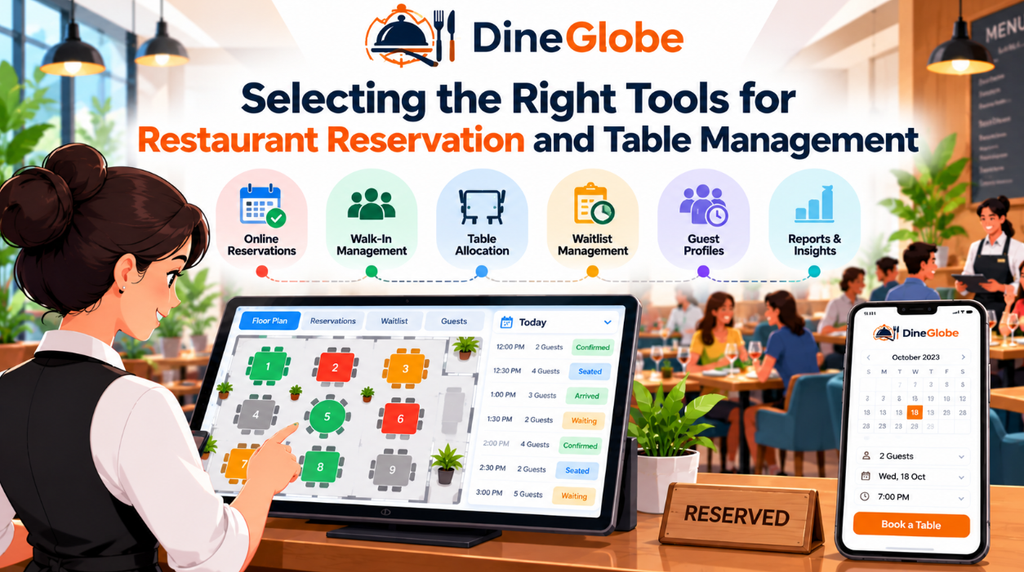
Introduction
Managing a busy restaurant dining room requires careful coordination between front-of-house staff, hosts, and kitchen teams. When guests arrive for dinner, they expect a smooth welcome and a ready table. Behind the scenes, however, keeping track of incoming phone calls, messages, and website inquiries can quickly overwhelm a busy team. Without a structured process, double bookings and miscommunications can disrupt service and frustrate diners.
To keep service running smoothly, many independent operators rely on digital tools to organize their daily schedule. Restaurant Reservation Software can help teams organize booking details, review upcoming arrivals, and plan seating before service begins. Having a centralized place for every reservation reduces reliance on messy paper books and ensures that everyone on the floor knows what to expect during a busy shift.
The journey of a diner starts long before they walk through the front door. It usually begins when a guest searches for a place to eat and looks for a simple way to secure a table. Providing a clear and accessible digital interface encourages guests to complete their bookings independently without needing to call during peak preparation hours.
An Online Restaurant Booking System gives guests a way to reserve tables through a restaurant’s own booking page and maintain greater control over the guest booking experience. When guests can view available times directly and receive instant confirmations, they feel more confident about their upcoming visit. This digital approach also reduces interruptions for front-of-house staff, allowing hosts to focus on welcoming guests who are already inside the restaurant.
Matching Table Layouts With Real Booking Capacity
Accepting bookings is only the first step in running an efficient dining room. Operators also need to know how many physical seats are available at any given time. A calendar showing open time slots does not always reflect the physical reality of the dining room floor, especially when dealing with different table sizes, party compositions, and turning times.
Restaurant Table Management Software helps teams monitor table availability, seating capacity, reservation timing, and prevent conflicting allocations. For example, if a party of six books a table during the peak evening rush, the system can help ensure that smaller two-top tables are not incorrectly linked in a way that disrupts the overall floor layout.
Every restaurant has a unique physical layout that influences how quickly parties can be seated and served. Managing this space effectively requires tools that reflect the actual dining room configuration. Restaurant Floor Plan Software helps teams represent their dining-room layout and understand how available tables relate to confirmed bookings, when these functions are supported by the system.
By visualizing table arrangements, combined setups, and reserved spots on a digital screen, hosts can make quick decisions when unexpected changes occur. Setting appropriate seating buffers between reservations also gives service staff enough time to clear and reset tables properly, maintaining a high standard of hospitality for every incoming party.
Handling Busy Periods and Unexpected Arrivals
Even with careful planning, unexpected rushes and walk-in guests are a standard part of daily restaurant operations. When every table is occupied and new guests arrive at the door, hosts need a reliable method to track who is waiting and provide realistic estimates of when a table might become available.
Restaurant Waitlist Management Software helps restaurants manage busy periods, waiting guests, estimated wait times, and table turnover during peak dining hours. Instead of keeping track of names on scraps of paper or relying on memory, hosts can record party sizes, contact details, and estimated waiting times in an organized digital queue.
Managing arrivals smoothly also involves accommodating guests who arrive without prior notice. Restaurant Walk-In Management Software explains how teams can record walk-in guests and update table availability in real time. When walk-ins are integrated smoothly with regular reservations, front-of-house teams can balance incoming demand without compromising service quality or creating confusion at the host stand.
It is important to remember that estimated wait times are never absolute guarantees. Actual waiting times depend heavily on dining duration, party size, table turnover, and overall restaurant conditions during service. Transparent communication between hosts and waiting guests helps manage expectations and creates a welcoming atmosphere from the moment people step inside.
Supporting Front-of-House Coordination
The host stand serves as the operational heart of the dining room. During a busy shift, hosts must juggle phone calls, greet arriving guests, seat parties, check out departing customers, and monitor the status of every table in the building. Giving staff a clear overview of these moving parts helps reduce stress and improves service coordination.
Restaurant Host Stand Software provides a centralized view of reservations, arrivals, seating status, and occupied tables for the entire front-of-house team. When hosts can see which tables are currently dining, which ones are about to finish, and who is arriving next, they can seat incoming parties much faster and with greater confidence.
Effective software does not replace human judgment or hospitality experience; instead, it supports the team by organizing information clearly. Clear role-based access also ensures that staff members can view or update only the information relevant to their duties, keeping data organized and secure throughout the shift.
Tailoring Tools for Independent and Small Businesses
Independent restaurants often operate with lean teams and tight margins. Unlike large hospitality groups, smaller establishments may not have dedicated reservationists or complex operational layers. Every tool introduced into the daily routine must be intuitive, easy to learn, and directly helpful to the staff on the floor.
Restaurant Reservation Software for Small Restaurants provides a streamlined approach focused on ease of use, limited staff resources, essential operational needs, and simple software selection. Small business owners benefit from systems that can be set up quickly and do not require extensive technical training for servers and hosts.
When choosing technology, operators should look for solutions that match their specific service style—whether they run a casual neighborhood bistro, a bustling cafe, or a fine-dining establishment. A practical tool should simplify daily scheduling without introducing unnecessary complexity or administrative overhead.
Exploring Pilot Access and Feature Evaluation
For many restaurant owners, trying new technology involves evaluating costs, feature limitations, and overall value. Exploring pilot programs or introductory access options allows teams to test digital booking tools in a real service environment before committing to long-term agreements.
A Free Restaurant Reservation System may suit a restaurant exploring digital bookings, but owners should check feature limits, booking capacity, support, and any pilot-program conditions. Understanding whether trial features include full floor-plan management, waitlist tools, or multilingual interfaces ensures there are no surprises as the restaurant grows.
Platforms like DineGlobe offer structured options for restaurants looking to manage online bookings, table allocation, and front-of-house operations through dedicated tools. Reviewing what is included in available pilot programs helps operators decide whether the platform fits their current workflow and service requirements.
Frequently Asked Questions
What is the main benefit of using a digital booking system?
A digital booking system centralizes reservations, reduces phone interruptions during service, and helps front-of-house staff plan seating arrangements more efficiently.
How does table management software prevent double bookings?
It tracks table availability in real time and links reservations directly to specific seating capacities, preventing staff from assigning the same table to multiple parties at overlapping times.
Can reservation tools handle walk-in guests alongside booked parties?
Yes, modern front-of-house tools include waitlist and walk-in features that let staff record unreserved guests and balance them against upcoming reservations.
Do guests need to pay extra to make an online reservation?
Most restaurant-owned booking pages allow guests to reserve tables directly without charging booking fees, helping restaurants maintain a direct relationship with their diners.
Are digital floor plans difficult to set up?
Most software platforms allow operators to configure their tables, sections, and seating capacities using simple visual interfaces that match their physical dining rooms.
What should small restaurants look for in reservation software?
Small restaurants should prioritize ease of use, quick staff onboarding, reliable customer support, and essential features that fit their daily operating volume.
How do pilot programs work for restaurant software?
Pilot programs typically offer trial access to specific features for a limited time, allowing operators to test the software and evaluate its impact on daily service workflows.
Can front-of-house staff update table statuses from mobile devices?
Many modern reservation tools support multi-device access, allowing hosts and managers to update table statuses and view arrivals directly from tablets or mobile terminals on the floor.
Conclusion
Organizing reservations, managing table availability, and coordinating front-of-house workflows are essential for a smooth dining experience. By adopting the right digital tools, independent restaurants can reduce scheduling conflicts, streamline host operations, and welcome guests with confidence.
Whether you are exploring a Free Restaurant Reservation System through an initial pilot or reviewing comprehensive table management options, choosing software that fits your restaurant’s size and service style makes all the difference. Platforms like DineGlobe provide practical solutions designed to support independent operators in managing bookings and daily service more effectively.